
Products & Stocks

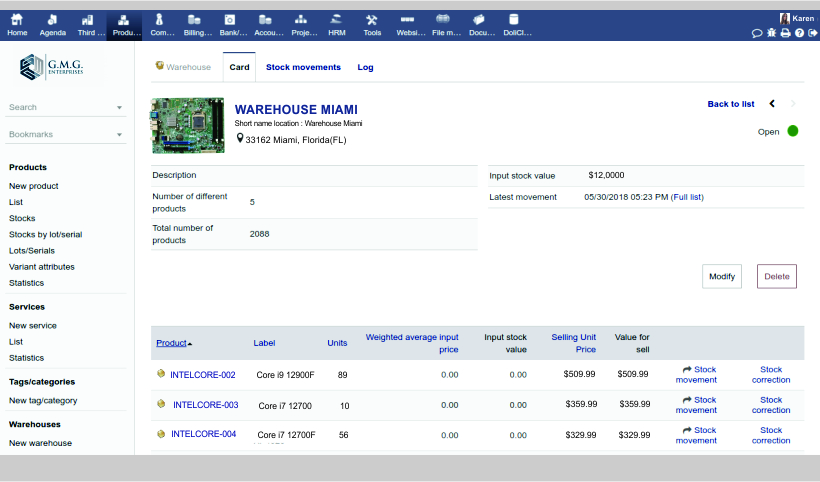
If you need to, you can add support for Lots or Serial numbers
Organize your warehouses and emplacements.
Use them to store your products and define
stock movements. Track you stock based on
product reference, warehouse, date, and/or
lot/serial number.
Get an updated visualization of your stock using
Weighted Average Price calculation or Standard calculation.
Record your stock movement manually and/or
configure your application to increase or
decrease your stock automatically (on invoice,
on order, or on shipment validation...)
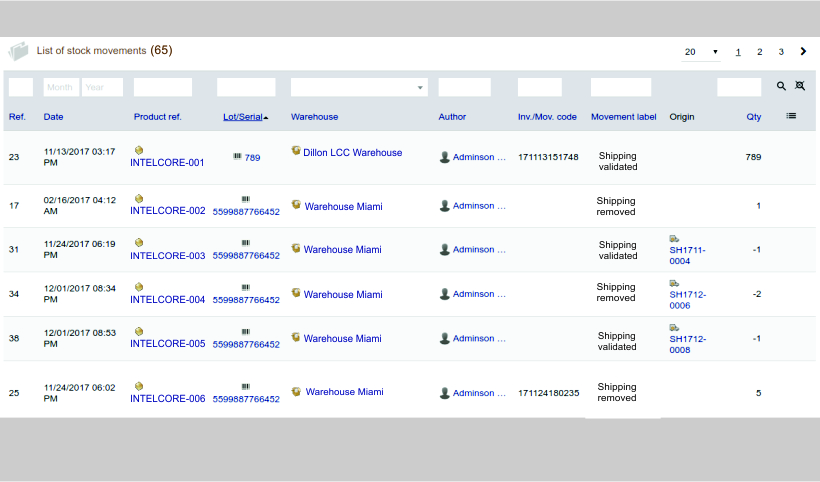
Retreive any stock movement in your log record
Take your stock workflow setup into consideration
to always display the real stock or virtual stock
(ie. stock position once all your customer or supplier
orders are shipped).
Use both your real stock and virtual stock to make
your replenishment in just a few clicks.
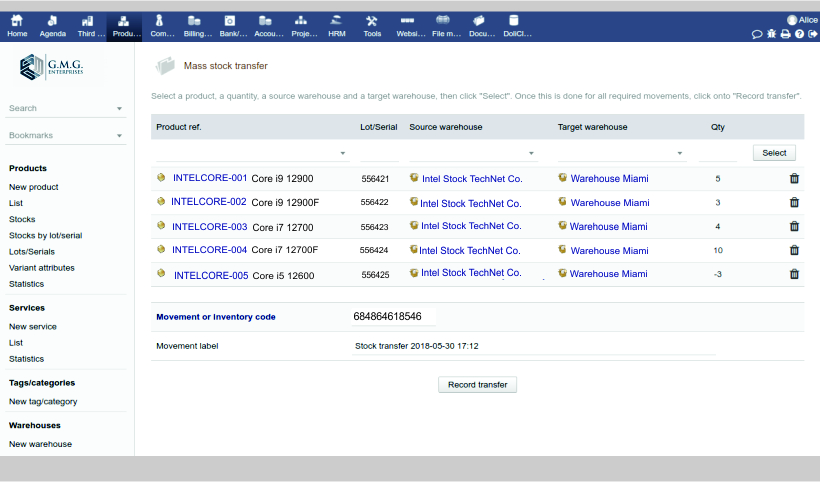
Use the stock transfer page to record in
one transaction, several stock transfers.
Define a desired quantity for each product so that
the replenishment tool will be able to generate supplier
orders automatically to restore the stock. See the page
Purchase/Approvisionning.
If you need to, you can use the Lot/Serial
number management. Products defined to be
managed by Lots will require a lot number
for tracking. You can also set properties
to your lot like Sell-by date or Eat-by-date.
Retreive details of stocks and movements for a
particular lot at any time.

Products & Stocks: Products & Services, Stocks, Purchase & Supply, Shipments and Manufacturing.
Create and update your product or service catalog. You will be able to reuse the catalogs in all the other features available in the application with one click (proposals/quotations, orders, invoices, and stocks). Manage the sale or purchase status.

Create Purchase Orders, Approve, Receive and Bill your Purchase Orders.

Create your shipments in one click from any order. Compare the quantity shipped with the quantity to ship.

Create your nomenclatures (BOMs) to define how to consume raw products or services to produce manufactured products (Quantity to consume, efficiency, stock impact, ...).






We use cookies on this site to enhance your user experience.
You can learn more about our use of cookies and your choices
here.
By clicking on any link on this page or clicking
"OK, I agree, you are giving your consent for us to
set cookies."