
CRM & Sales

Manage your order workflow and product stock according to your rules.
Create your orders from your customer sheet, or
in a single click by reusing a signed proposal or
contract to save time.
Include predefined products to save you time, or enter
the list of products and services manually.
If predefined fields do not match your needs, add your
own custom fields of any type (string, amount, date,
checkbox, combo list, ...) to the form.
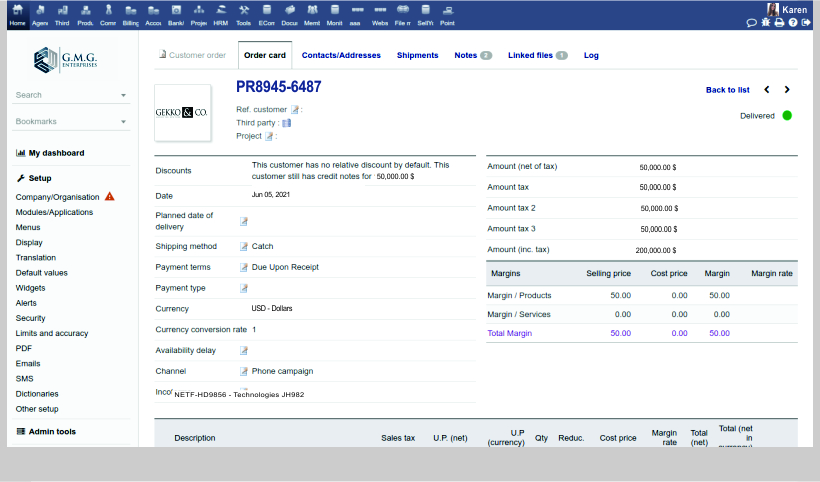
The PDF of your order is automatically
generated and updated.
Send your order acknowledgement by Email
directly from within the application. Use your
predefined email templates, so you don't even
have to type any text.
Depending on the modules/features you have enabled,
you can also convert your order into a contract
(module contract), intervention (module intervention),
invoice (module invoice) or a combination of these.
If the module margin is enabled, you can also review
the margin on your orders.
If you decide to manage shipments, then you can
close your orders automatically when all the
shipments are completed. Depending on your setup,
if you need to manage stock, your stock may also be
automatically increased or decreased as applicable.
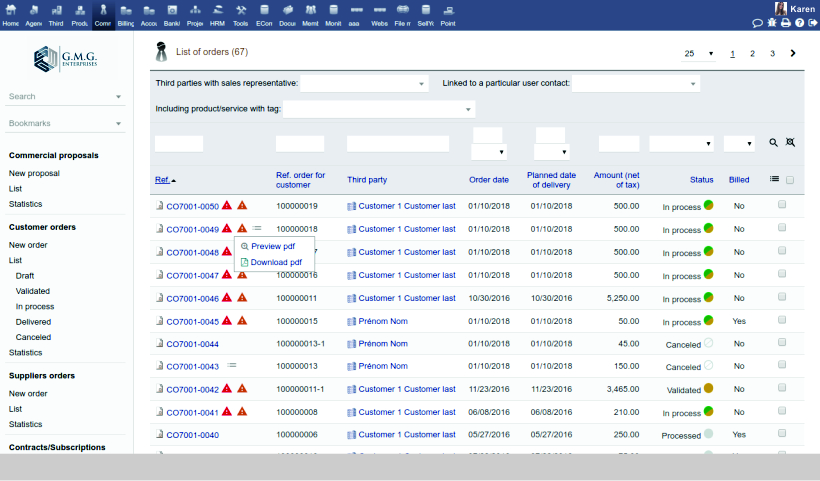
List and display all your orders. Choose which information you want to see in your list views. Filter and sort your lists based on any criteria.
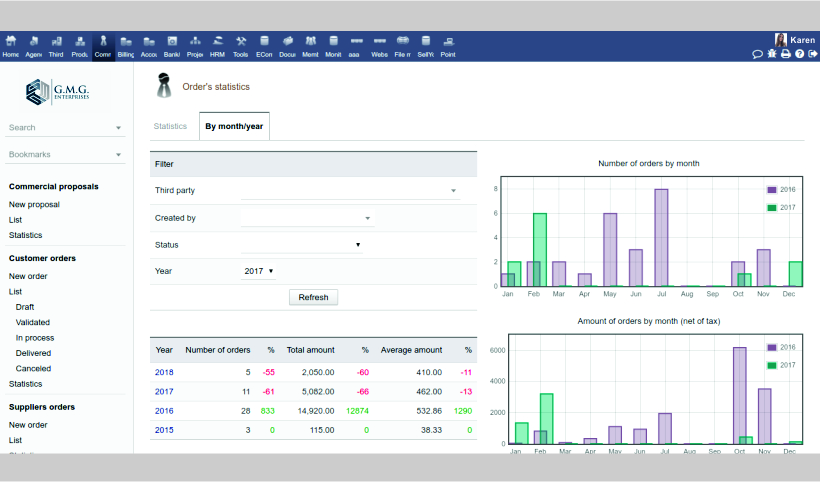
Use predefined and dynamic statistics pages
to get useful information about your sales
representative's performance.
Export your orders with the Export module to reuse
them with third-party tools, or connect your existing
BI suite directly to the open database for Big Data analysis.

Customer Relationship Management: Prospects, Customers, Opportunities, Proposals, Sale Orders, Contracts, Subscriptions, Help Desk & Tickets.

Track your prospects and customers, and reuse them in other modules.

Create and follow all your leads/commercial opportunities

Create and send professional-looking proposals to your prospects and customers instantly.

Manage customer/supplier contracts and subscriptions. Generate recurring invoices of subscriptions automatically.

Manage a help desk & follow issues.






We use cookies on this site to enhance your user experience.
You can learn more about our use of cookies and your choices
here.
By clicking on any link on this page or clicking
"OK, I agree, you are giving your consent for us to
set cookies."